

Which Shopify tools do you need?
Every tool on this page answers one question that store owners ask me again and again. Pick the question that sounds like yours, open one of the Shopify tools, and change the numbers to match your store. Each one shows a worked example first, so you can see how it works before you type anything.
| Your question | Shopify tool to use |
|---|---|
| Which Shopify plan is cheapest for my sales? | Shopify fee calculator |
| How much do I really keep from each sale? | Shopify profit margin calculator |
| Are my ads making or losing money? | Break-even ROAS calculator |
| What price should I charge? | Shopify pricing calculator |
| Is my theme out of date? | Shopify theme update tracker |
| How do I change my theme without an app? | Shopify code snippets library |
| Which theme and apps does that store use? | Shopify theme detector and store checker |
| Why is my store slow? | Shopify speed test |
| What size should my images be? | Shopify image resizer |
| How many visitors do I need for my sales goal? | Sales goal calculator |
| Is my SEO title or meta description too long? | Meta description length checker |
| Will this sale cost me money? | Shopify discount calculator |
| Is my store set up well overall? | Shopify store audit |
| Can Google find all my pages? | Sitemap and robots.txt checker |
| Why does my product CSV import fail? | Product CSV template and checker |
| How do I make my image files smaller? | Shopify image compressor |
| What should my free shipping minimum be? | Free shipping threshold calculator |
| Which store policies do I need? | Shopify policy generator |
| How do I write a product description fast? | Product description generator |
| How do I make a size chart? | Size chart generator |
| How do I make barcodes for my products? | Shopify barcode generator |
| How do I make a QR code for my store? | Shopify QR code generator |
| How do I make many unique discount codes? | Discount code generator |
| Which colors suit my brand? | Shopify color palette generator |
| What should I call my store? | Shopify store name generator |
A good order for a new store is simple. Use the pricing calculator to set a price. Check it with the profit margin calculator. Then use the break-even ROAS calculator before you spend money on ads. The fee calculator helps once you have steady sales and wonder if a bigger plan would save money. Before a sale, run the discount calculator, and when you plan a month, the sales goal calculator tells you how many visitors you need. Setting up a new store? Start with the store audit, the policy generator and the store name generator.
Why I built these free Shopify tools
I have built and fixed Shopify stores for more than 10 years. The same few questions come up in almost every project. Owners guess their margin, copy a price from a competitor, or run ads without knowing the number that keeps them in profit. Small mistakes like these cost real money every month.
Spreadsheets work, but most owners don’t have one ready, and the formulas are easy to get wrong. So I turned the math I use with clients into simple Shopify tools and Shopify calculators. You type your own numbers and see the answer straight away. Most of these tools run in your browser, so nothing you type or upload is saved or sent anywhere. Only the checkers that read another store’s public pages send the store address you type.
I also added the checks I run first when a store owner asks me why sales are slow: which theme and apps a store uses, how fast it loads, and whether its Google titles fit.
How these Shopify tools stay accurate
Each calculator uses the US plan prices and card rates from Shopify’s own pricing page and help center. I checked them in November 2026. Every tool page lists what it assumes, so you can see where a number comes from. Shopify sets prices by country, so if your store is outside the US, check your local pricing page and type your own rates into the fee fields.
The theme update tracker reads live data from Shopify’s public theme code on GitHub each time you open it. So it shows the newest Dawn and Horizon versions without waiting for me to update the page. The code library only holds code that I tested in the free Dawn and Horizon themes before it went into one of my guides.
The store checker reads only the public pages of the store you type, and the speed test runs on Google’s own PageSpeed servers, the same test Google offers to everyone. Neither one saves the address you check.
When Shopify changes a price or a rule, I update the tools. If you spot a number that looks wrong, message me and I will check it.
Shopify calculators: what each one tells you
There are seven Shopify calculators here. Each one answers a money question with your own numbers, and each shows a worked example first.
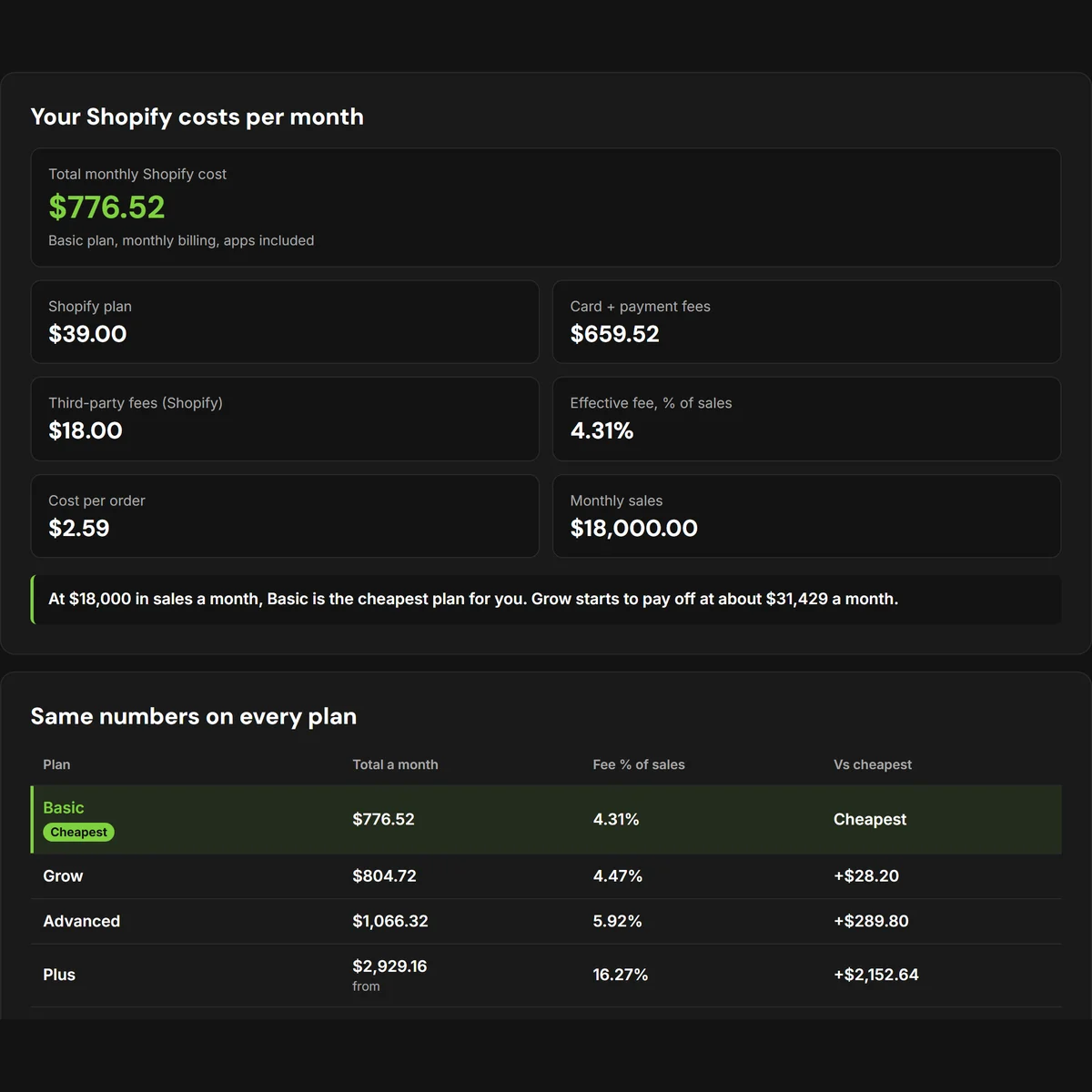
Fee calculator
Shows your full monthly Shopify bill: the plan, card fees, PayPal and third-party fees, and your apps. It runs the same numbers on all four plans and tells you the sales level where a bigger plan starts to pay off.

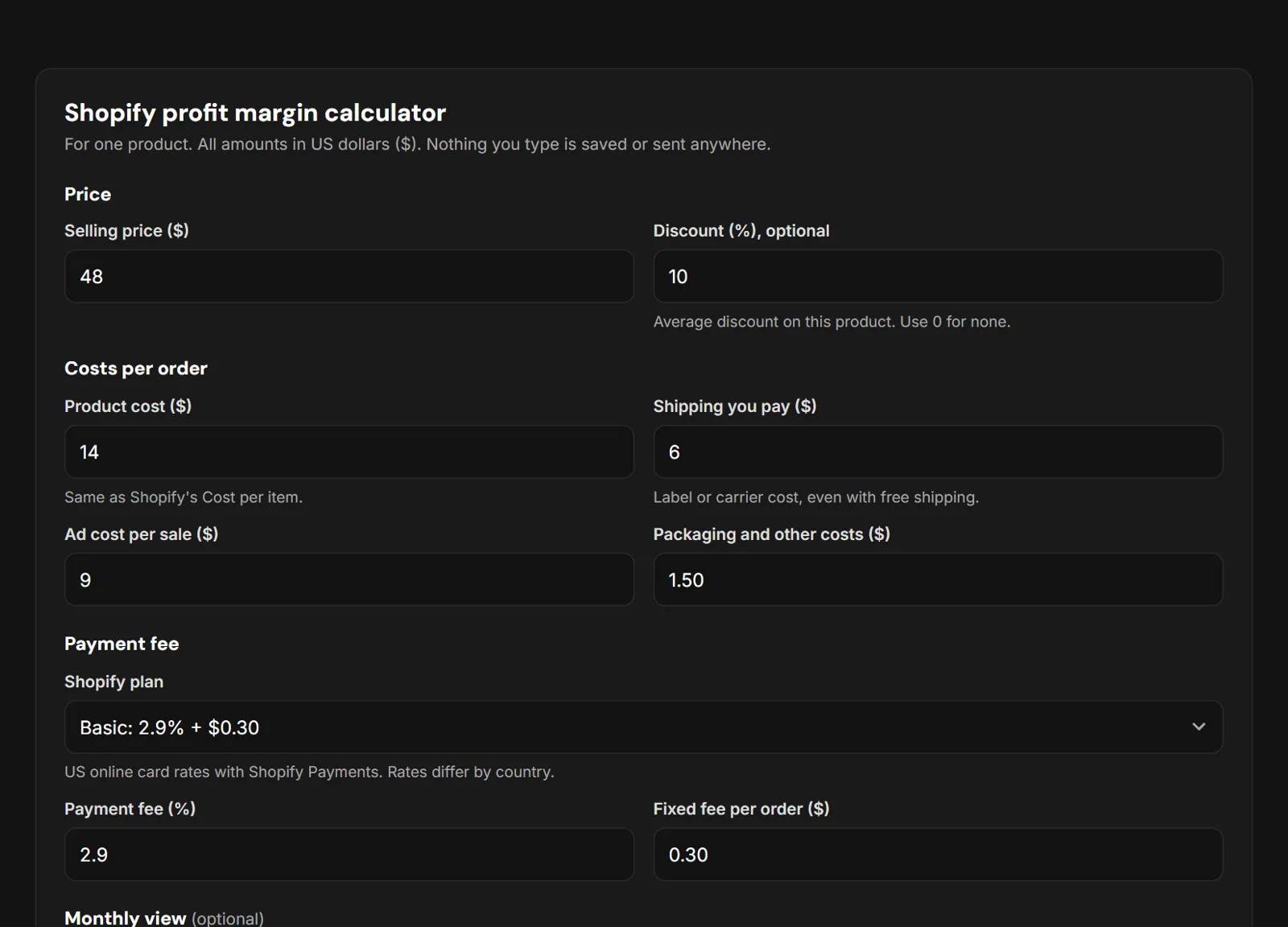
Profit margin calculator
Works out the profit and margin on one product after the discount, card fees, shipping and ad cost. Add how many you sell a month to see your monthly profit.
Break-even ROAS calculator
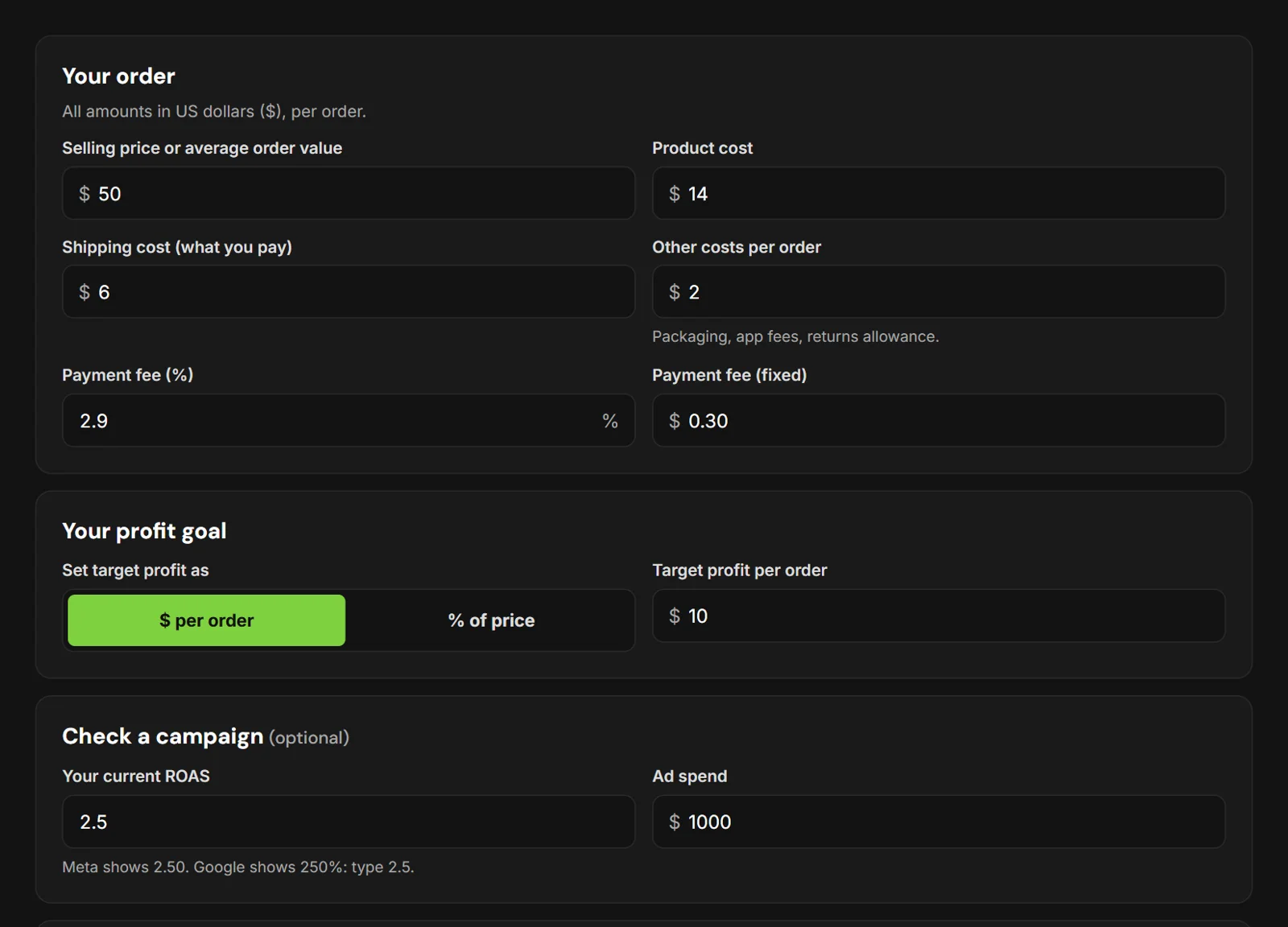
Tells you the lowest return on ad spend you can accept before an ad loses money, and the most you can pay for one sale. Type in your current ROAS to see if a campaign makes or loses money.
Pricing calculator
Turns your costs and a goal into a selling price. Set a margin, a markup or a profit per order, choose a price ending like .99, and add a compare-at price for a sale.

Sales goal calculator
Turns a monthly sales goal into the orders and visitors you need, using your conversion rate and average order value. Add your cost per visitor to see the ad budget, or switch tabs to forecast sales from the traffic you have.
Discount calculator
Shows what a sale or discount code does to your profit per order, and how many extra orders you need to earn the same as before. A table compares 10% to 40% off at a glance.
Free shipping threshold calculator
Finds a free shipping minimum that lifts your order value without losing profit. It shows the break-even amount, a clean price to use, and the profit per order before and after.
More Shopify tools for your theme
Theme update tracker
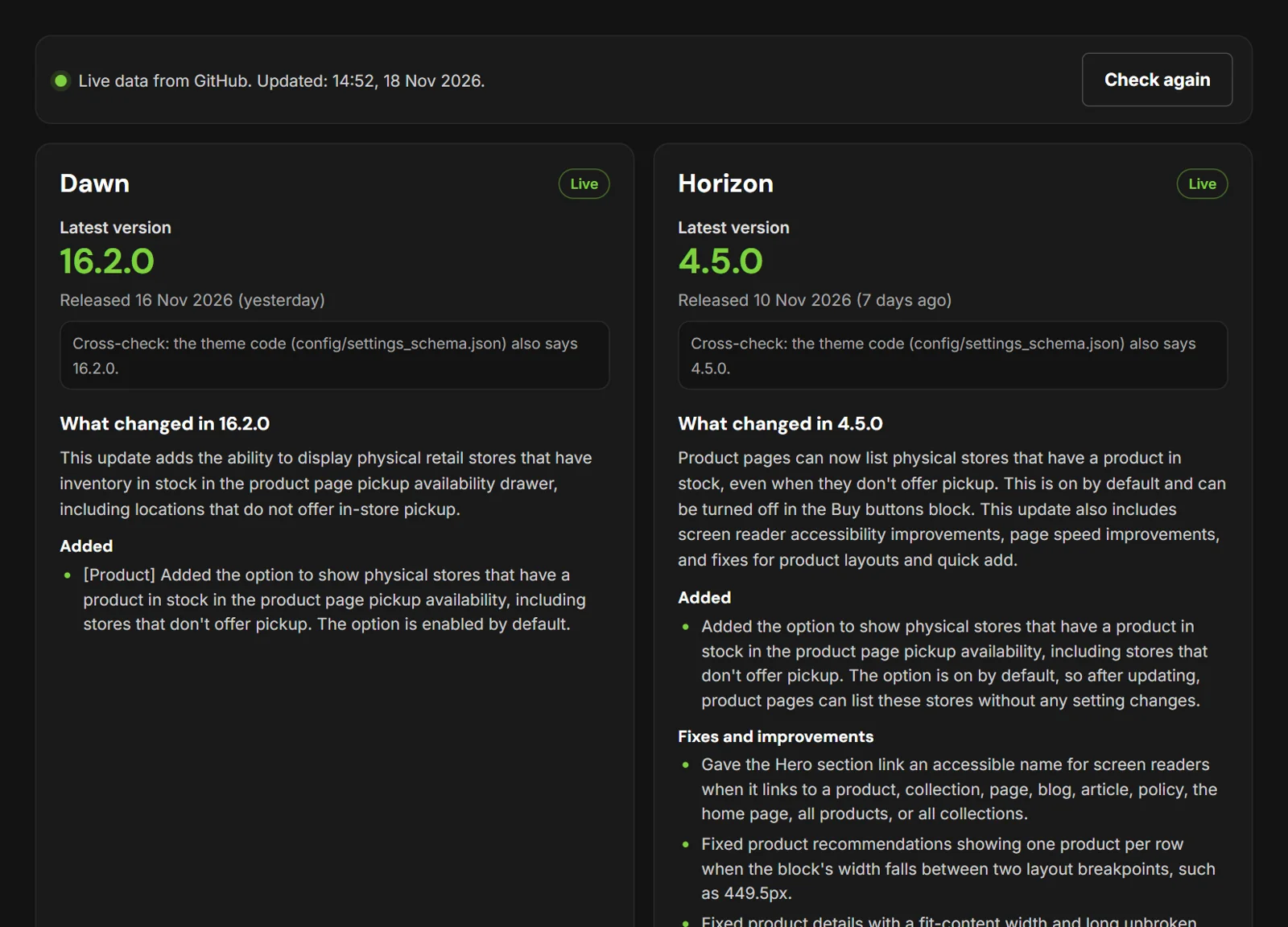
Shows the latest Dawn and Horizon versions with the date and what changed. Type your own version number and it tells you how many updates you are behind, and warns you when a big jump is coming.
Code snippets library
A searchable list of tested code for Dawn and Horizon. Filter by theme or by type, copy with one click, and follow the line that says where to paste it.
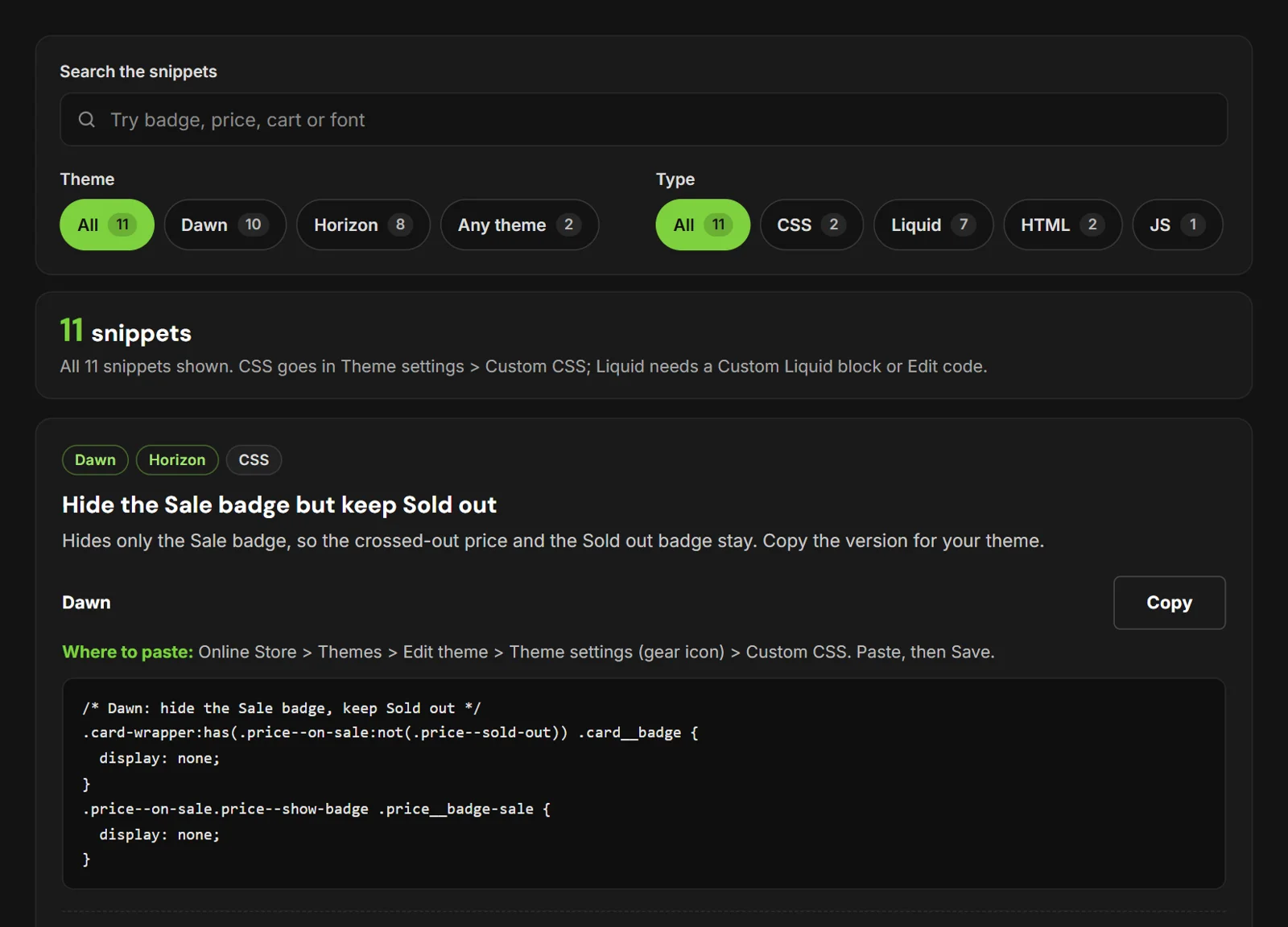
Two of the Shopify tools here are about your theme, not your numbers. The theme update tracker shows the latest Dawn and Horizon versions, what changed, and how far behind your store is. The code snippets library holds copy and paste code for common changes, such as hiding a price, changing the sale badge or adding a free shipping bar. Each snippet says exactly where to paste it.
Before you paste any code, duplicate your theme first. That gives you a safe copy to go back to. My Shopify guides explain each change step by step if you want more detail.
Shopify tools to check a store
These free Shopify tools look at a store from the outside, the way a shopper or Google sees it. Use them on your own store first, then on stores you admire. Comparing the two is often the fastest way to see what to change next.
Store audit
Paste a store address and get a score out of 100 with a fix list. It checks speed, SEO titles, image alt text, product schema, apps, policies and the product catalogue in one go.
Sitemap and robots.txt checker
Reads a store’s sitemap and robots.txt, counts the pages Google can find, and explains any blocked pages in plain words. A second tab writes a safe robots.txt.liquid file for you.
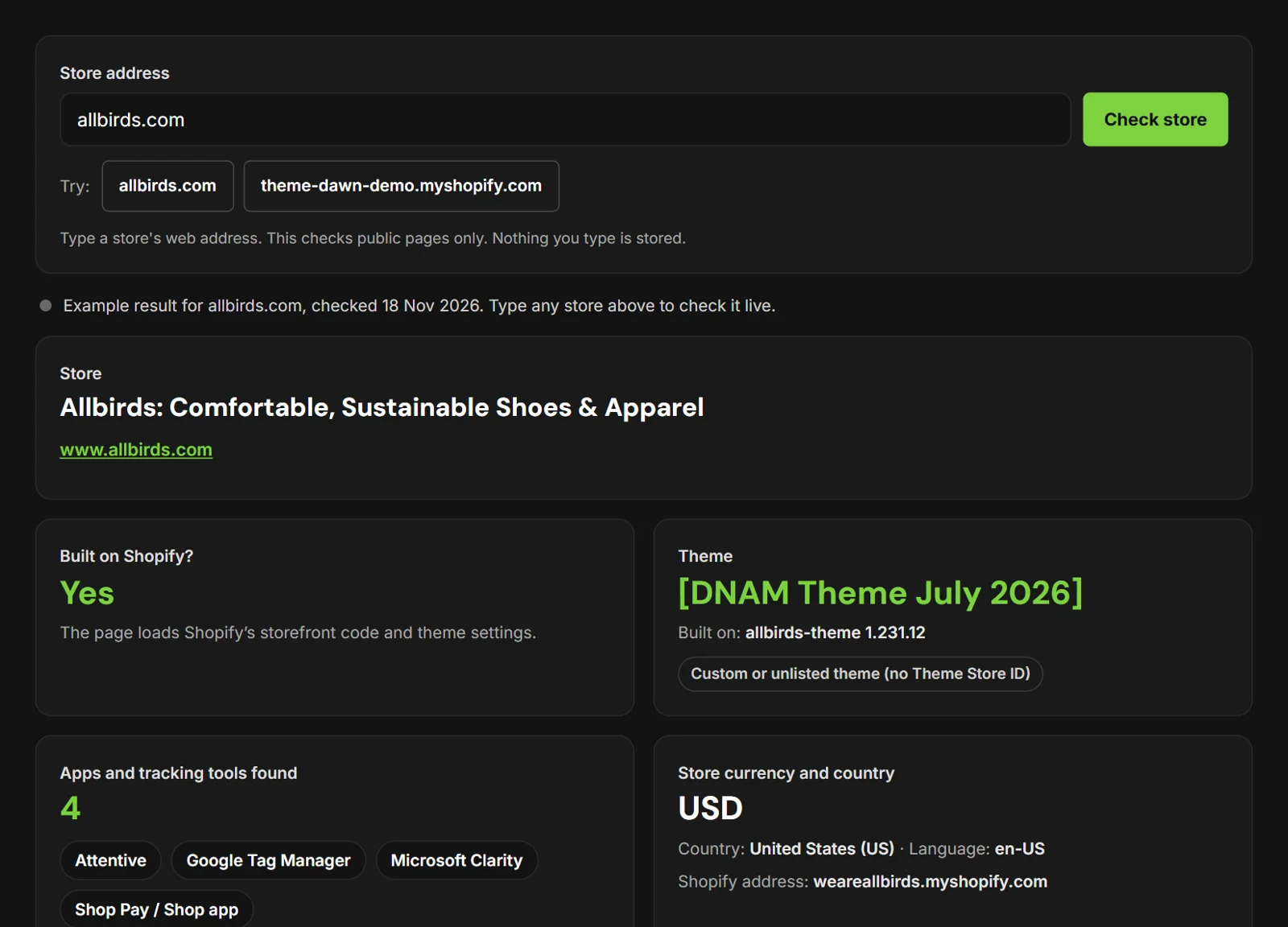
Theme detector and store checker
Type any store address to see if it runs on Shopify, which theme and version it uses, which apps load on the page, and how many products it sells at what prices. Handy when you like a store and want to know how it was built.
Speed test
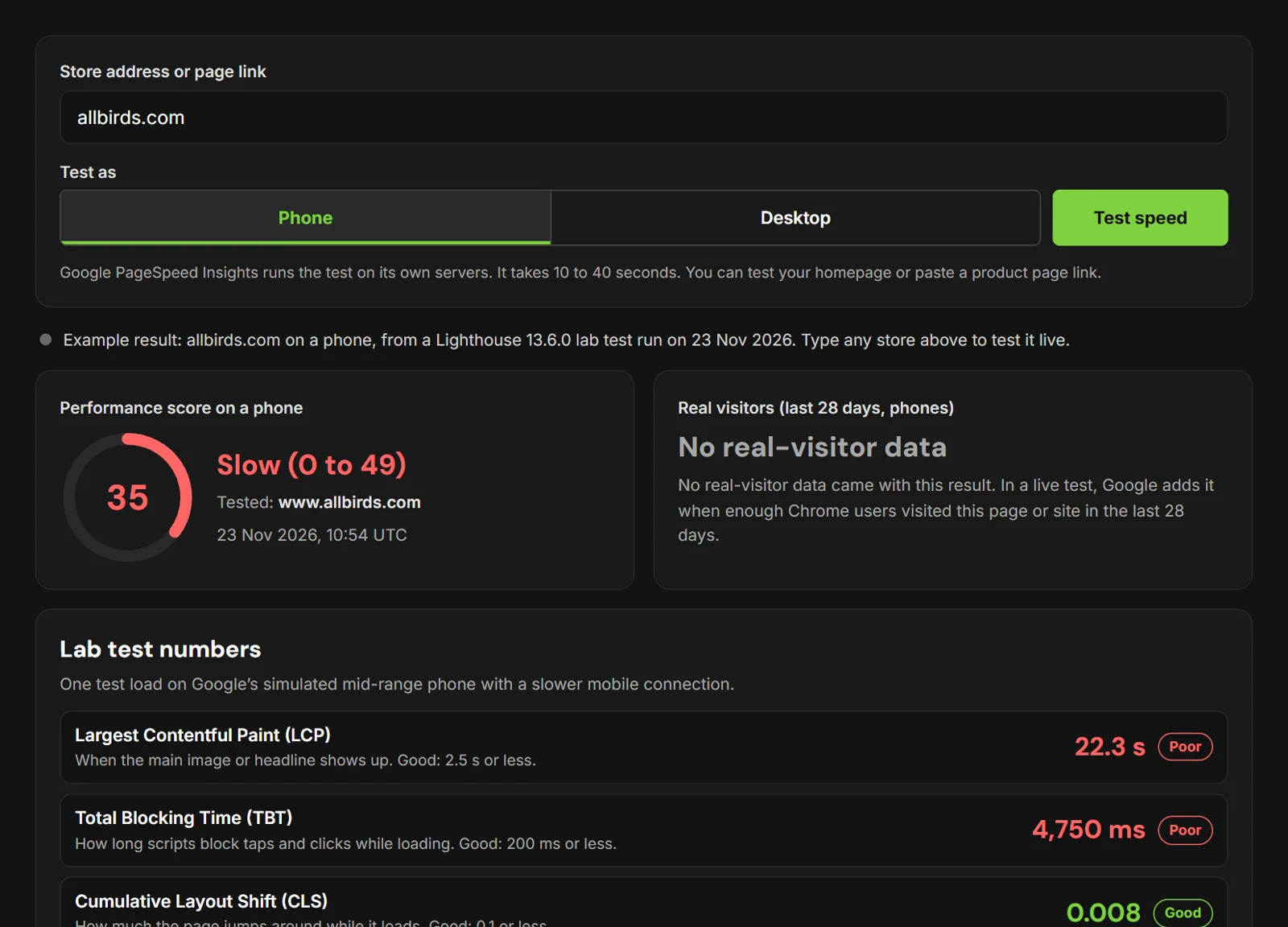
Runs Google’s PageSpeed test on any store page, on a phone or a desktop, and explains the slow parts in plain words, with what they usually mean on a Shopify store: too many apps, heavy images or a slow theme.
Meta description length checker
Shows how a product, collection or blog page looks in Google on desktop and phone, checks the title and description length in pixels, and scores the keyword use out of 10.
Image resizer
Resizes, crops and converts photos to WebP, JPG or PNG at the right Shopify sizes, right in your browser. Drop in a batch and download them all with clean file names.
Image compressor
Makes image files smaller without a visible change. Pick auto, a target size like 200 KB, or set the quality yourself, then download one file or all of them as a ZIP.
Product CSV template and checker
Download Shopify’s product CSV template, or drop in your own file to find the rows that will fail before you import them. Each problem comes with the row number and a fix.
Free Shopify generators for your store
These Shopify tools make something you can use straight away: a policy, a description, a code or a color scheme. They all run in your browser and nothing is sent anywhere.
Policy generator
Fill in one short form and get your refund and return, shipping, privacy, terms of service and contact pages. Each tab says where to paste it in Shopify.
Product description generator
Type the product details and pick a tone. You get three ready layouts as clean HTML, plus an SEO title and meta description with live character counts. It uses templates, not AI.
Size chart generator
Start from a preset, edit the sizes, and switch between inches and centimeters. Copy the table code for your product page or download it as an image.
Barcode generator
Make UPC, EAN-13 or Code 128 barcodes for your products, one at a time or a list of up to 200, as PNG or SVG files.
QR code generator
Turn a product, collection, discount or cart link into a QR code for packaging and flyers. The codes never expire, and you can add campaign tags to track scans.
Discount code generator
Create up to 10,000 unique discount codes with your own prefix and length, or get memorable code ideas like WELCOME10. Copy them or download a CSV.
Color palette generator
Start from your brand color or logo and get a full palette mapped to your theme color settings, with contrast checks so your text stays easy to read.
Store name generator
Type a few niche words, pick a style, and get 60 store name ideas. Check whether the .com looks free with one click.
How to get the most from these Shopify tools
Shopify calculators are only as good as the numbers you put in. These five habits make the answers from all the Shopify tools on this page match your real store.
- Use real costs, not guesses. Take the product cost from your supplier invoice and the shipping cost from your last few labels. Your Shopify admin also shows the cost per item if you filled it in.
- Include every fee. Card fees, PayPal, apps and packaging are small on one order but add up fast. Leave them out and the profit looks better than it is.
- Use your average discount. If most orders use a 10% code, price with that discount in mind. The profit margin calculator has a field for it.
- Check again every few months. Supplier prices, ad costs and your sales mix change. A price that worked in spring can lose money by winter.
- Keep the numbers you trust. Use the Copy results button on a calculator and paste the answer into your notes, so you can compare later.
A good routine: run the store audit and check your speed and Google titles once a month, run the Shopify calculators before every price change or sale, and use the store checker whenever you see a store you like. The free Shopify tools take a few minutes each, and together they cover the numbers most owners never measure.
If the answer surprises you, that is useful too. Most stores I audit lose margin in one or two places they never measured. These Shopify tools help you find those places before they cost you more.